How to Automate Employee Onboarding (Without an HR Team)
A step-by-step guide for small companies to automate new hire onboarding using tools you already have, saving time and creating a better first-day experience.

By Prabhat Patra
Updated on Nov 15, 2026
Table of contents
Why is manual onboarding such a mess?
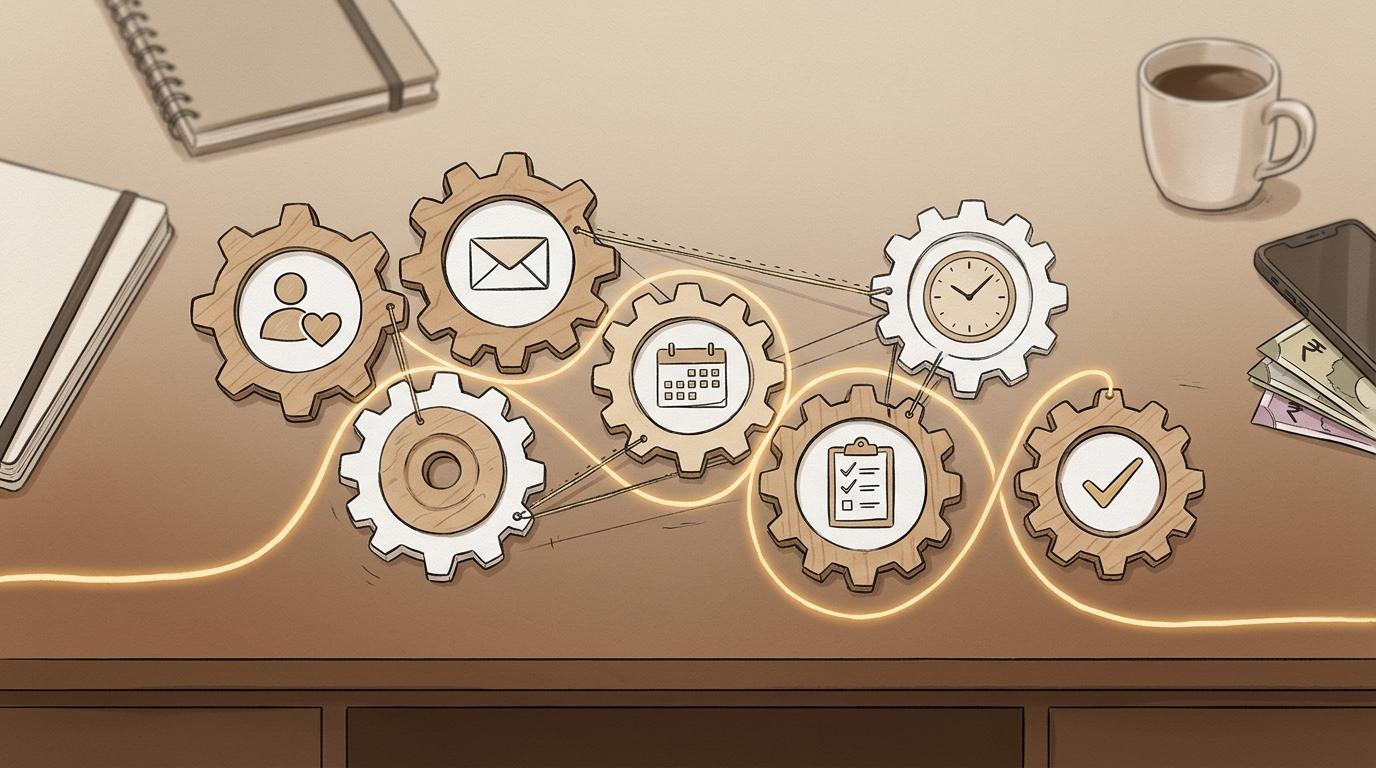
It's 9 AM on Monday. Your new developer is here… and almost nothing is ready. You’re scrambling to find the right tax forms, IT hasn't created their email account, and their manager forgot to schedule a welcome lunch. It’s chaotic, stressful, and a terrible first impression for someone you just spent months trying to hire. The truth is, manual onboarding is a process held together by one person's memory and a dozen disconnected spreadsheets. It doesn't scale. The good news is you can fix it. It’s time to automate employee onboarding, even if you’re just a team of ten.
What parts of employee onboarding can you actually automate?
You can and should automate the repetitive, administrative tasks: sending offer letters, collecting documents, creating user accounts, and assigning starter tasks. The goal isn't to remove the human touch; it's to free up your team's time for the things that actually matter, like team introductions and proper training.
Think of it in three phases:
- Pre-boarding: This is everything that happens between the offer acceptance and day one. You can automate sending the offer letter for e-signature, collecting PAN and Aadhaar details, and sending a welcome email with first-day logistics.
- Day One: Instead of a manual scramble, an automation can trigger tasks for your team. Create a user in Google Workspace, add the new hire to specific Slack channels, and assign an "Onboarding Checklist" in your project management tool.
- First Week: Schedule automated reminders for the manager to do a 3-day check-in, send the new hire a link to your company handbook, and assign introductory training modules.

How do you automate employee onboarding without a big HR platform?
You don't need an expensive, all-in-one HR platform that costs ₹20,000 a month. Small teams can get 80% of the benefit by simply connecting the tools they already use (like Gmail, Slack, and Asana) with a workflow automation tool like Zapier or Make.
Honestly, this is the best way to start. An all-in-one platform forces you into its way of doing things. A DIY approach lets you build a workflow that fits your company perfectly. According to industry research, using a tool like Zapier can cost as little as $0-$50 a month for most companies under 20 people. It’s a much smaller, more flexible entry point than signing a one-year contract for a system you might not even like. The choice often comes down to a Zapier vs custom automation decision, but for onboarding, pre-built connectors are usually enough.
What's the biggest mistake companies make when automating this?
The single biggest mistake is automating a broken manual process. If your current onboarding is a confusing, 40-step checklist with redundant tasks, building an automation will just make that chaos happen faster and more consistently. It won't actually fix the problem.
Before you touch any software, you have to map out and simplify your current workflow. Ask yourself: Why do we do this step? Is it necessary? Can it be combined with another task? You also need to protect the human element. Don't automate the welcome call from the founder or the first 1:1 with the manager. Automate the paperwork so those personal touchpoints have room to happen.
A 5-Step Guide to Automating Your Onboarding Workflow
Ready to build it? Here’s a practical, step-by-step plan that works for small teams. No coding required.
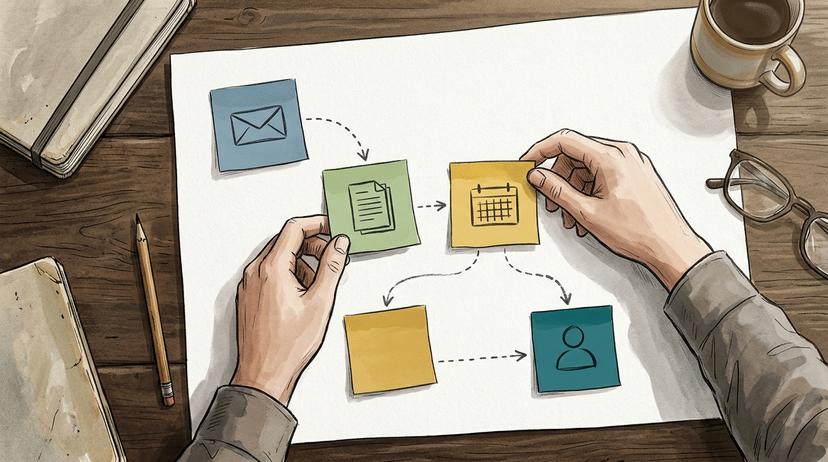
Step 1: Map Your Current Process (The Good, Bad, and Ugly)
Get a whiteboard or a big sheet of paper. List every single task involved in bringing on a new hire, from the moment they accept the offer to the end of their first week. Note who is responsible and how long each step takes. Be brutally honest. If a step involves someone remembering to forward an email, write that down. This map is your blueprint for what to fix.
Step 2: Digitize Everything and Create Templates
Any paper form is a bottleneck. Convert all your documents—offer letters, policy acknowledgements, tax forms—into digital formats that can be filled out and signed electronically. Use tools like HelloSign, DocuSign, or even Google Docs with an e-signature add-on. While you're at it, create email templates for everything: the offer email, the 'Welcome, here's what to expect on Day 1' email, and the 'Your new team member is starting!' email for the rest of the company.
Step 3: Choose Your Trigger and Your Tools
An automation needs a starting gun. What is the one event that kicks everything off? For most, it's updating a candidate's status to "Hired" in an Applicant Tracking System (ATS) or, more simply, adding their name to a new row in a 'New Hires' Google Sheet. This single event will be your trigger.
Now, pick your automation tool. Zapier is a great place to start. It connects thousands of apps and you can build your first few workflows for free.
Step 4: Build Your First Workflow (Start with Pre-boarding)
Don't try to automate everything at once. Start with the most painful part: pre-boarding paperwork. Create a simple workflow:
- Trigger: New row is added to your 'New Hires' Google Sheet.
- Action 1: Delay for 10 minutes (to give you time to fill in all the details).
- Action 2: Send a personalized welcome email via Gmail using a template.
- Action 3: Create a signature request in HelloSign for the offer letter.
- Action 4: Create a task in Asana/Trello for you to follow up in two days if the documents aren't signed.
That's it. This one workflow eliminates the most common failure point: forgetting to send the initial documents. For a complete list of tasks to include, you can use our free employee onboarding checklist tool as a guide.
Step 5: Layer in IT, Manager Tasks, and Test Everything
Once your pre-boarding workflow is solid, you can add more layers. Create a separate workflow that triggers *after* the offer letter is signed.
- Action 1: Create tasks for IT in your project management tool: "Create email for [New Hire Name]" and "Order laptop."
- Action 2: Send a Slack message to the #general channel announcing the new hire and their start date.
- Action 3: Add a calendar event to the new hire's manager's calendar: "Schedule welcome lunch with [New Hire Name]."
Before you go live, run a test with a 'dummy' new hire (using your own personal email). Make sure every step fires correctly, every link works, and the emails sound human. The whole point is to make sure your tools are actually talking to each other correctly.
How much does this cost and what's the real ROI?
A DIY setup using tools like Zapier can cost under $50 per month, while dedicated HR platforms like BambooHR start around $250 per month for small teams. But don't think about the cost in a vacuum. The return is significant. According to research from sources like Customertimes, automation can reduce HR admin time by as much as 65-70%. And one 2026 study cited in *How to Automate Employee Onboarding* found that organizations with a structured, automated process see up to 82% higher new hire retention.
When you consider that manual onboarding can cost an average of $4,129 per hire in admin labor alone, a $50/month subscription looks like a pretty good investment.
What about edge cases like rehires or contractors?
Standard automation handles 80% of cases perfectly, but you'll always have exceptions. What if you're rehiring someone who already has a deactivated email address? Or converting a contractor to a full-time employee? The short answer is: don't try to automate these on day one.
Your goal is to automate the predictable path. For edge cases, build a manual review step into your process. For example, your workflow could have a step that sends you a Slack message: "Is [New Hire Name] a rehire? (Yes/No)". Based on your answer, it either continues the standard workflow or pauses and assigns you a task to handle it manually. Start simple and add complexity later.
Building a great onboarding experience isn't about having a futuristic, hands-off system. It's about using simple automation to handle the boring stuff, so you and your team can focus on the human side of welcoming someone new.
If mapping this out feels like too much, or your process involves connecting several custom tools, that's where a product studio can help. We build and maintain these kinds of end-to-end workflows for growing teams. As your tech partner, we connect your existing tools to build a system you own completely, with a fixed scope delivered in weeks, not months. If you want help to build your onboarding automation, let's have a conversation.
Frequently asked questions
Track key metrics like time-to-productivity (how quickly a new hire closes their first task), task completion rates within the onboarding checklist, new hire satisfaction scores from automated surveys, and, most importantly, 90-day retention rates.
It only feels impersonal if you automate the wrong things. The key is to automate administrative tasks (paperwork, account setup) to free up more time for valuable human interaction like manager 1:1s, team lunches, and personalized check-ins.
Automation is even more critical for remote employees. It ensures they have the right equipment shipped and system access granted before day one. It also provides a structured flow of communication and tasks, which helps them feel connected and productive without being physically present.
Start with pre-boarding. Automating the collection of all necessary paperwork (offer letter, tax forms, direct deposit info) for e-signature before the employee's first day has the biggest impact. It removes the single biggest source of day-one chaos.
For a small business using tools like Zapier, a basic setup can be done in a few days. A more comprehensive system implementation typically takes 2-4 weeks, which includes mapping your process, building the workflows, and thorough testing.
Get an honest MVP assessment in 5 minutes.
We tell you what to build, what to skip, and what it'll actually cost. No fluff.
Assess My IdeaFree · 5 minutes · No obligation